Self service kiosk is becoming part of everyday business, not something extra or optional. Walk into a small café, a local store, or even a service center, and there is a good chance a screen is waiting instead of a long line. Tap, select, pay, done. That is the experience customers are getting used to.
And once customers get used to that speed, they do not want to go back.
For small businesses, this shift is not about technology. It is about how people behave. People want things quick, simple, and in their control. A self service kiosk fits right into that expectation without making operations complicated.
What is really happening when a customer uses a kiosk
A self service kiosk is not just a machine sitting in a corner. It becomes part of how the business runs.
A customer walks in, goes straight to the screen, browses options, selects what they need, and pays. Skip the wait for staff, avoid repeating orders, and eliminate confusion.
Behind the scenes, that same kiosk is connected to a self service pos system, updating orders, tracking payments, and keeping everything organized.
What it handles quietly in the background
- Takes orders without needing staff
- Processes payments instantly
- Connects with your system using POS kiosk integration
- Suggests extra items during checkout
- Sends or prints receipts
That is why a self service kiosk does not just speed things up. It changes how the entire flow works.
Why small businesses are moving in this direction
This shift is not happening randomly. It is solving real problems that show up every day.
Busy hours get messy. Staff gets overwhelmed. Customers get impatient.
A self service kiosk machine steps in right where things start slowing down.
What changes almost immediately
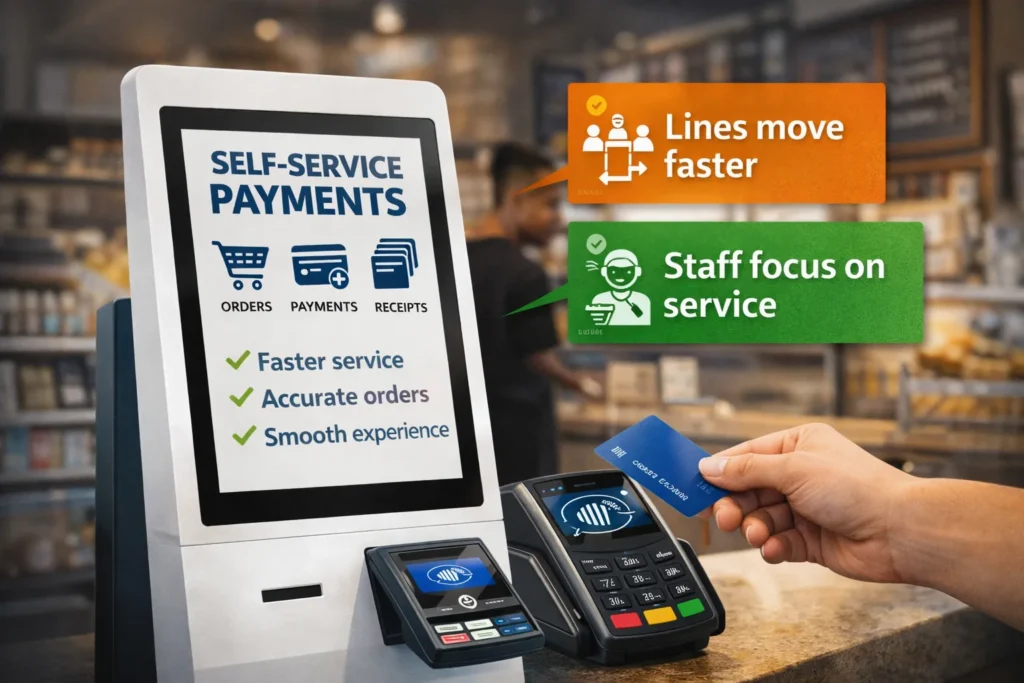
- Lines move faster
- Orders become clearer and more accurate
- Staff stops rushing and focuses on service
- Customers feel more comfortable choosing at their own pace
With touchscreen payment kiosk solutions, the process becomes smooth without needing extra effort from the team.
The cost side explained in a simple way
This is where most hesitation comes in. The cost.
A self service kiosk does require an upfront investment, but it is not as out of reach as it used to be.
A clear breakdown
| Part | Expected Cost |
| Kiosk hardware | 1500 to 5000 USD |
| Software | 50 to 300 USD monthly |
| Setup | 200 to 1000 USD |
| Maintenance | 100 to 500 USD yearly |
The final number depends on how advanced the kiosk POS system for small business needs to be.
Some businesses start small with a basic setup and expand later. That approach works well when testing how customers respond.
Picking the Right Kiosk without Overthinking it
Not every self service kiosk needs to be big or expensive. The right choice depends on how customers move through the space.
Common setups seen in real businesses
- Wall mounted kiosks
Good for quick orders and tight spaces - Freestanding kiosks
Best when there is heavy foot traffic - Tablet based setups
Easy to install and budget friendly - Outdoor kiosks
Built for weather and constant use
All of these can support automated payment kiosks, so the focus stays on ease and speed.
How to set up a Payment Kiosk System Step by Step
Setting up a self service kiosk is more about clarity than complexity.
The flow most businesses follow
- Start with a clear purpose
Decide if it will handle orders, payments, or both - Choose the hardware
Pick a reliable self service kiosk machine - Select the right software
Make sure it connects smoothly through POS kiosk integration - Enable payment options
Add cards, mobile wallets, and contactless kiosk payments - Keep the screen simple
The fewer steps, the better the experience - Test everything
Run real situations before customers start using it
Why integration matters more than anything else
A self service kiosk works best when it is fully connected to the rest of the business.
Without integration, things start to break. Orders may not sync. Inventory may not update.
With a proper self service pos system, everything stays aligned.
What should always stay connected
- Inventory levels
- Sales reports
- Customer data
- Loyalty rewards
This connection is what turns a kiosk into a working system, not just a screen.
Challenges that come up and how they are handled
No system is perfect, and a self service kiosk is no different.
What usually comes up
- Some customers hesitate the first time
- There is an initial cost
- Occasional maintenance is needed
- Small technical issues can happen
Most businesses handle this by guiding customers during the early days. After that, people get comfortable quickly.
Where kiosks are making the biggest impact
Some industries feel the impact of a self service payment kiosk faster than others.
Where it fits naturally
- Restaurants with quick orders
- Retail checkout areas
- Clinics with repeat visitors
- Entertainment and ticketing spaces
Anywhere people repeat the same process again and again, a self service kiosk makes things easier.
What is coming next in kiosk technology
Things are not stopping here. kiosk technology is evolving to make experiences even smoother.
What is starting to show up
- Smarter suggestions during checkout
- Faster and smoother contactless kiosk payments
- Cloud based POS kiosk integration
- More personalized interactions
The goal is simple. Less friction, more flow.
Conclusion:
A self service kiosk is not about replacing people. This approach reduces pressure by handling repetitive tasks, allowing teams to focus on high-value work. Operations continue smoothly during busy periods, while customers enjoy a faster and more seamless experience.
And once that flow is in place, it becomes hard to imagine running things without it.
Frequently Asked Questions
What is a self service kiosk and why is it useful?
A self service kiosk allows customers to place orders and pay without staff assistance. It speeds up service, reduces errors, and gives customers more control over their experience.
How much should a small business expect to spend on a kiosk?
Costs usually range from 2000 to 7000 USD depending on hardware and software. Monthly fees may apply for system access and updates.
Can a kiosk connect with my current system?
Yes, most kiosks support POS kiosk integration, which keeps orders, payments, and inventory synced in real time without manual updates.
Are customers comfortable using kiosks?
Most customers quickly adapt, especially when the interface is simple. Features like contactless kiosk payments make the process even easier.
What kind of payments do kiosks accept?
Kiosks accept cards, mobile wallets, and tap payments. Some also support QR codes and digital receipts for added convenience.
Is maintenance difficult for kiosks?
Maintenance is simple and includes software updates and occasional hardware checks to keep everything running smoothly.
Do kiosks actually save money for small businesses?
Yes, a self service kiosk reduces the need for additional staff during busy hours and improves efficiency, which helps lower operational costs.
How long does it take to install a kiosk system?
Installation can take a few days to a few weeks depending on customization and integration with existing systems.
Which businesses benefit most from kiosks?
Restaurants, retail stores, and service based businesses benefit the most because they deal with frequent and repeated customer transactions.
Can a small business start with a basic kiosk setup?
Yes, starting with a simple or tablet based kiosk is common. It allows businesses to test the system before expanding into a full setup.