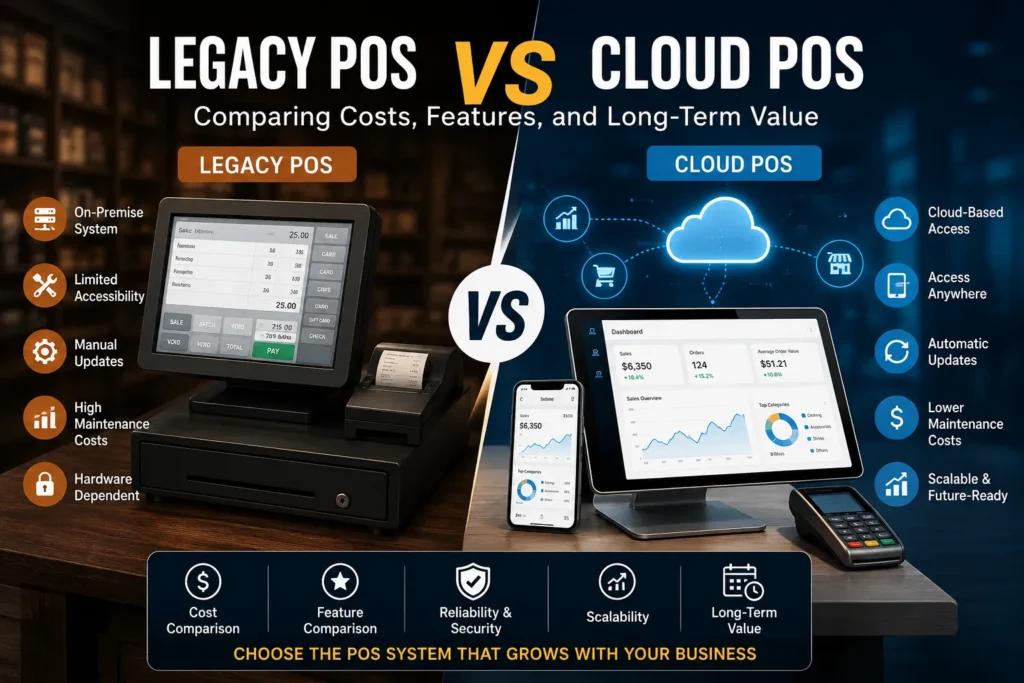
Legacy POS vs Cloud POS is one of those decisions most business owners only fully understand when they actually start feeling the limits of their current system. Either things get slower, reporting becomes messy, or managing everything starts taking more effort than it should.
It is not just a technical comparison. It is really about how you want your business to run day to day. Do you want something fixed inside your store, or something flexible that moves with you anywhere?
Let’s break it down by using both systems in a business.
What is Legacy POS Systems?
Legacy POS systems are the old style setup where everything is installed inside your store on a computer or local server. It is like saying your business system lives inside one machine.
When people talk about legacy POS systems, they are usually referring to:
- A system installed on one or more fixed computers
- Data saved locally inside the store
- Manual updates that often need technical help
- Everything tied to physical hardware
A traditional POS system feels familiar because it has been around for years. You turn it on, you use it, and it does the job.
But over time, business owners start noticing something. It does the job, but it does not grow with the business easily.
And that is exactly where Legacy POS vs Cloud POS becomes a real conversation.
What is Cloud POS System?
A cloud POS system works differently. Instead of being locked inside your store, everything runs through the internet.
So you are not tied to one computer anymore. You can literally check your business from anywhere.
A cloud based point of sale system lets you:
- See sales in real time
- Check inventory from your phone
- Manage multiple stores together
- Access everything from anywhere
This is why many modern businesses are switching to a cloud based pos system. It simply removes a lot of unnecessary limitations.
For retail specifically, a cloud based pos system for retail helps owners stay updated without constantly being physically present.
So when you compare Legacy POS vs Cloud POS, you start noticing cloud systems feel more “alive” and connected to real time business activity.
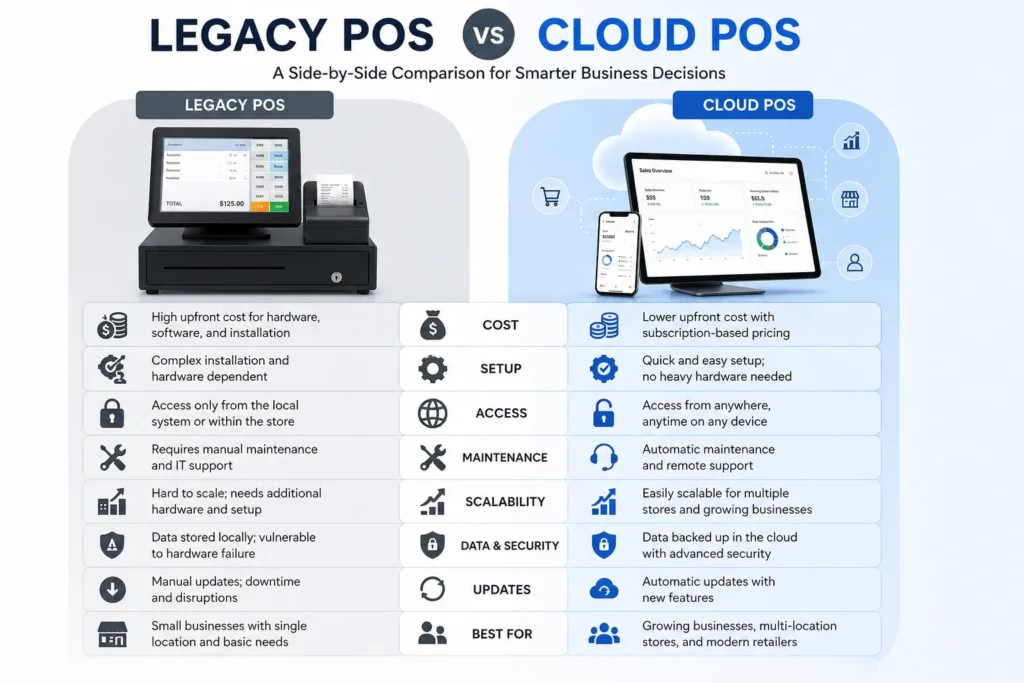
Cost: What You Pay vs What You Keep Paying
Now let’s talk about something every business owner cares about: cost.
Legacy systems usually look like this:
- Big one time setup cost
- Hardware purchase
- Installation charges
- Regular technician visits
- Ongoing pos system maintenance
Cloud systems look like this:
- Monthly or yearly subscription
- Lower startup cost
- Updates included
- Support included
At first, a legacy POS system feels like a one time investment. But over time, small costs keep coming back again and again.
With cloud systems, you keep paying monthly, but you avoid surprise repair costs and upgrade expenses.
So in Legacy POS vs Cloud POS, it is not just about price, it is about how the money behaves over time.
Daily Features That Actually Change Your Work
This is where the difference becomes very clear in real life.
Legacy systems usually:
- Do basic billing
- Show limited reports
- Require manual inventory updates
- Work only inside the store
Cloud systems usually:
- Show live sales data instantly
- Update inventory automatically
- Work on mobile and laptop
- Connect easily with other tools
A cloud based pos system makes you feel like you are always connected to your business, even when you are not there.
A traditional POS system makes you depend more on staff updates and manual checks.
So when people compare Legacy POS vs Cloud POS, they often realize it is not about features on paper, it is about how smoothly your day actually runs.
Maintenance: The Part Nobody Talks About
This is where legacy systems slowly become stressful.
With legacy systems:
- Something breaks, you call a technician
- Updates are not automatic
- Hardware can fail suddenly
- Downtime can stop sales completely
With cloud systems:
- Updates happen in the background
- Issues are handled remotely
- Data is backed up automatically
- Less chances of full system failure
This is where pos system maintenance becomes a hidden burden in older setups.
In Legacy POS vs Cloud POS, maintenance is often the silent reason businesses decide to move on.
The Real Limitations You Feel Over Time
Let’s talk honestly about legacy POS limitations.
At first, everything feels fine. But later you start noticing:
- It becomes hard to manage multiple stores
- Reports are slow to generate
- Integrations are limited
- Hardware becomes a dependency
- Scaling feels complicated
These problems do not show up on day one. They show up when your business starts growing.
And that is usually when owners seriously rethink Legacy POS vs Cloud POS.
Long Term Value: Where You Feel the Difference Most
This is where things really separate.
Legacy systems:
- Eventually need replacement
- Do not scale easily
- Depend heavily on hardware life
Cloud systems:
- Keep improving automatically
- Scale without major upgrades
- Stay updated without effort
- Support business growth better
A cloud based point of sale system feels like it grows with you instead of holding you back.
So in Legacy POS vs Cloud POS, long term thinking is where cloud systems usually win.
Which One Fits Which Type of Business
Let’s keep this practical.
Legacy systems usually fit when:
- You run a very small single store
- You don’t need remote access
- You prefer offline stability
Cloud systems fit when:
- You have multiple locations
- You want real time reporting
- You want remote access
- You are planning to grow
A cloud based pos system for retail is especially useful when inventory changes fast and needs constant updates.
A traditional POS system still works for very basic setups, but it has limits.
So again, Legacy POS vs Cloud POS is not about which is good or bad, it is about what stage your business is in.
Migration: What Actually Happens When You Switch
Switching systems is not instant.
You usually go through:
- Moving old data into new system
- Training staff again
- Testing everything before going live
- Adjusting daily workflows
Businesses moving from legacy POS systems often feel nervous about disruption.
But most cloud systems now help with onboarding, training, and setup, which makes the transition smoother than expected.
So in Legacy POS vs Cloud POS, migration is a process, but not a barrier.
Conclusion:
At the end of the day, Legacy POS vs Cloud POS is really about how you want to run your business every single day.
One keeps you tied to a physical setup. The other keeps you connected wherever you are. One feels stable but limited. The other feels flexible and scalable.
Most growing businesses eventually move toward cloud systems because they simply match how modern business actually works.
Frequently Asked Questions
What is a legacy POS system?
It is basically an old style billing system installed inside your shop on a computer. Everything happens locally, so you usually need to be physically present to manage it.
Why do some businesses still use legacy systems?
Because they are already installed, familiar, and feel stable. Many owners do not switch until they start facing real limitations.
Is cloud POS really better or just a trend?
It is not just a trend. A cloud based pos system actually changes how you access and manage your business by giving real time control from anywhere.
What is the biggest problem with legacy POS systems?
The biggest issue is pos system maintenance and lack of flexibility when the business starts growing or adding locations.
Can cloud POS work without internet?
Some systems have limited offline mode, but most features need internet because everything syncs in real time.
Which system is better for retail stores?
A cloud based pos system for retail is usually better because retail needs fast inventory updates and real time tracking.
What happens if cloud system goes down?
Most systems have backups and recovery systems, so downtime is rare and data is usually safe.
Is it hard to switch from legacy to cloud POS?
It can take some setup and training, but most systems are designed to make switching as simple as possible.
How is inventory different in both systems?
Legacy systems often need manual updates, while cloud systems update inventory automatically after every sale.
What should I think about before choosing one?
Think about your growth plans, number of stores, need for remote access, and long term cost. That is the real core of Legacy POS vs Cloud POS.